
Everything from quote to paid, under your brand
Quotes, invoices, card payments and automatic reminders for small businesses. Only what is built today, nothing on a roadmap.
What your client sees, from yes to paid
Real iQuote screens with sample data. Your name, logo and colour on every step.
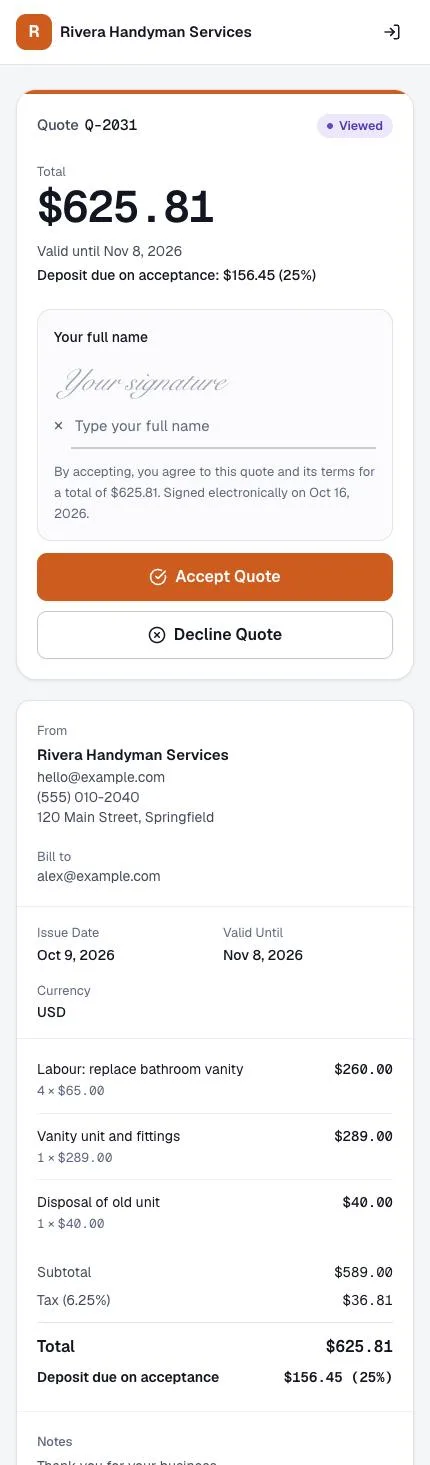
1. Accept the quote
Your client opens the quote on their phone, types their name and taps Accept. A deposit can be due on acceptance.
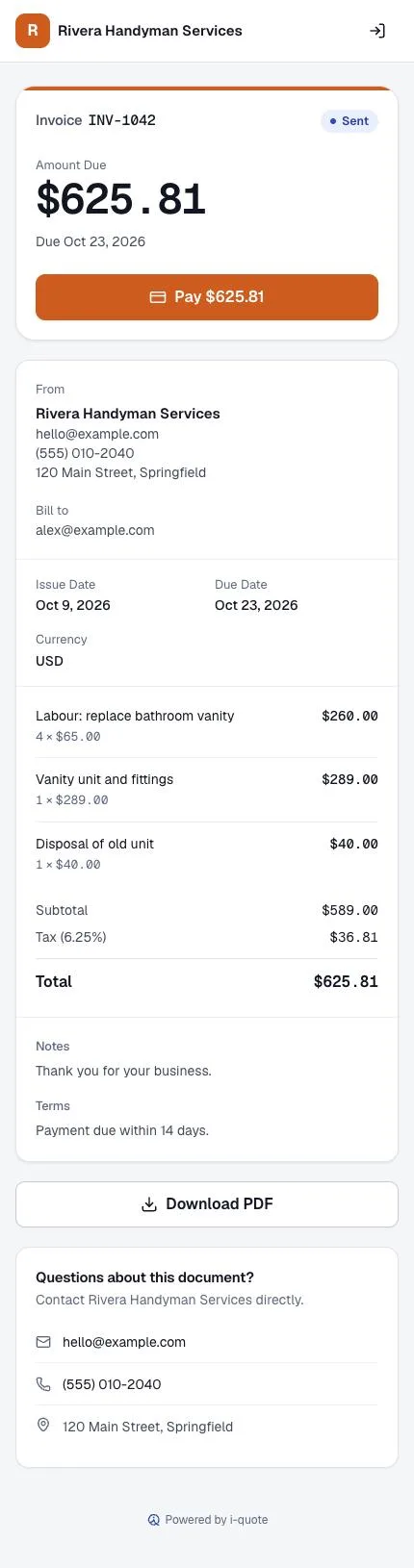
2. Pay the invoice
The accepted quote becomes an invoice with a Pay button. Card payments go to your own Stripe account.
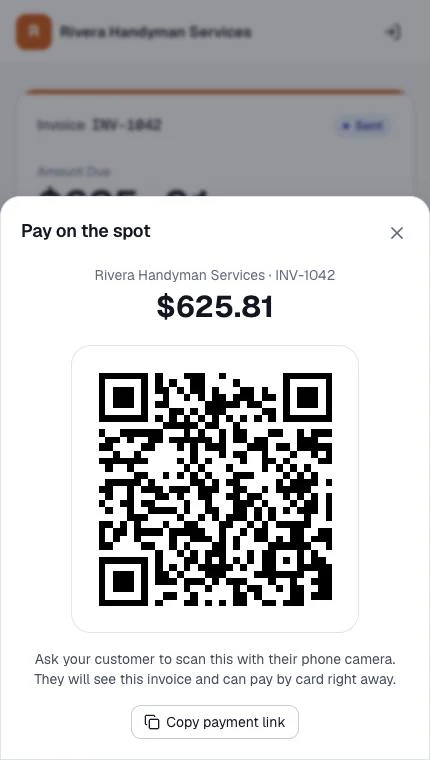
3. Or pay on the spot
Standing in front of the client? Show the QR code; they scan it with their camera and pay by card.
Six invoice templates, in your brand colour
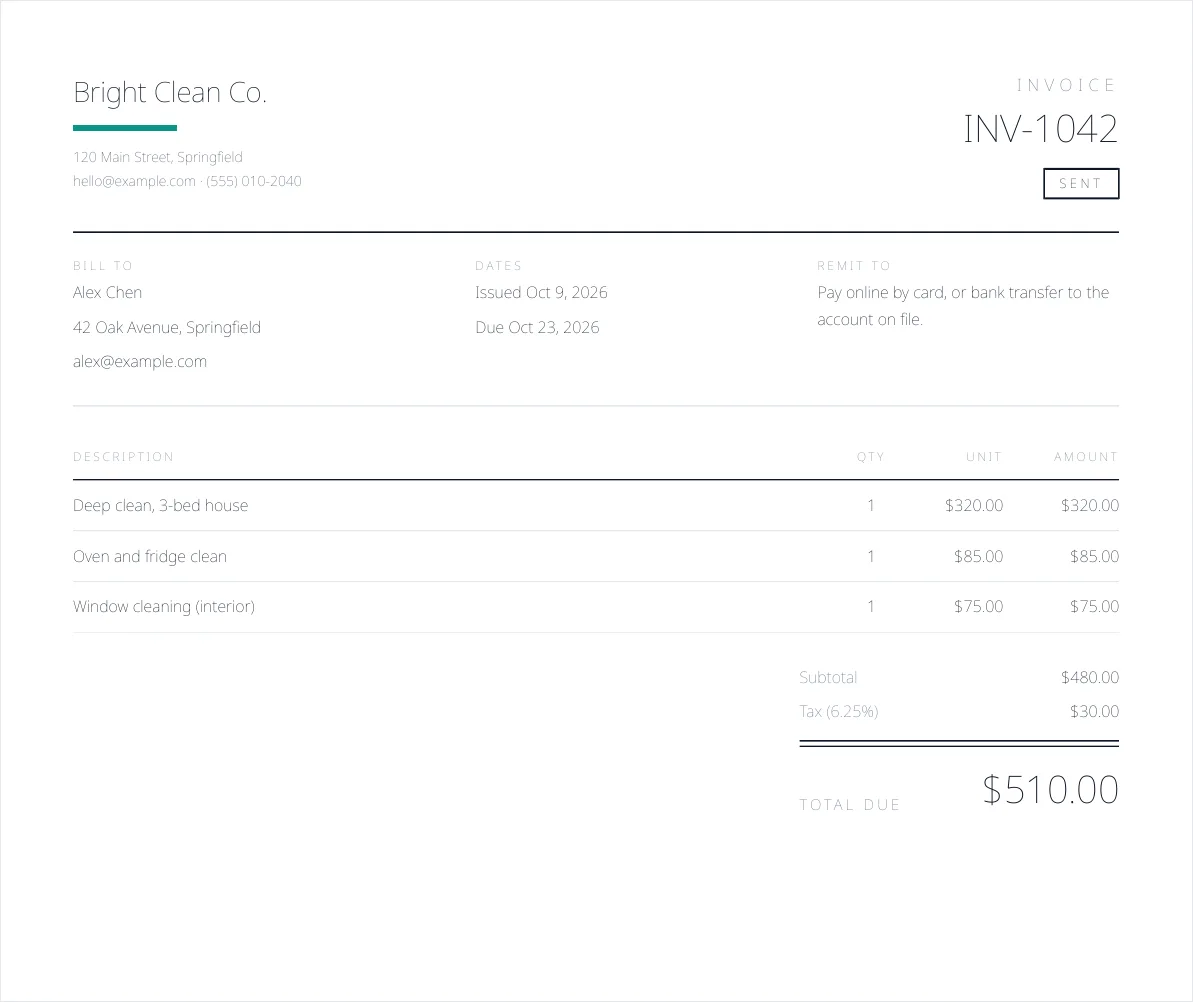
Ledger · Bright Clean Co. 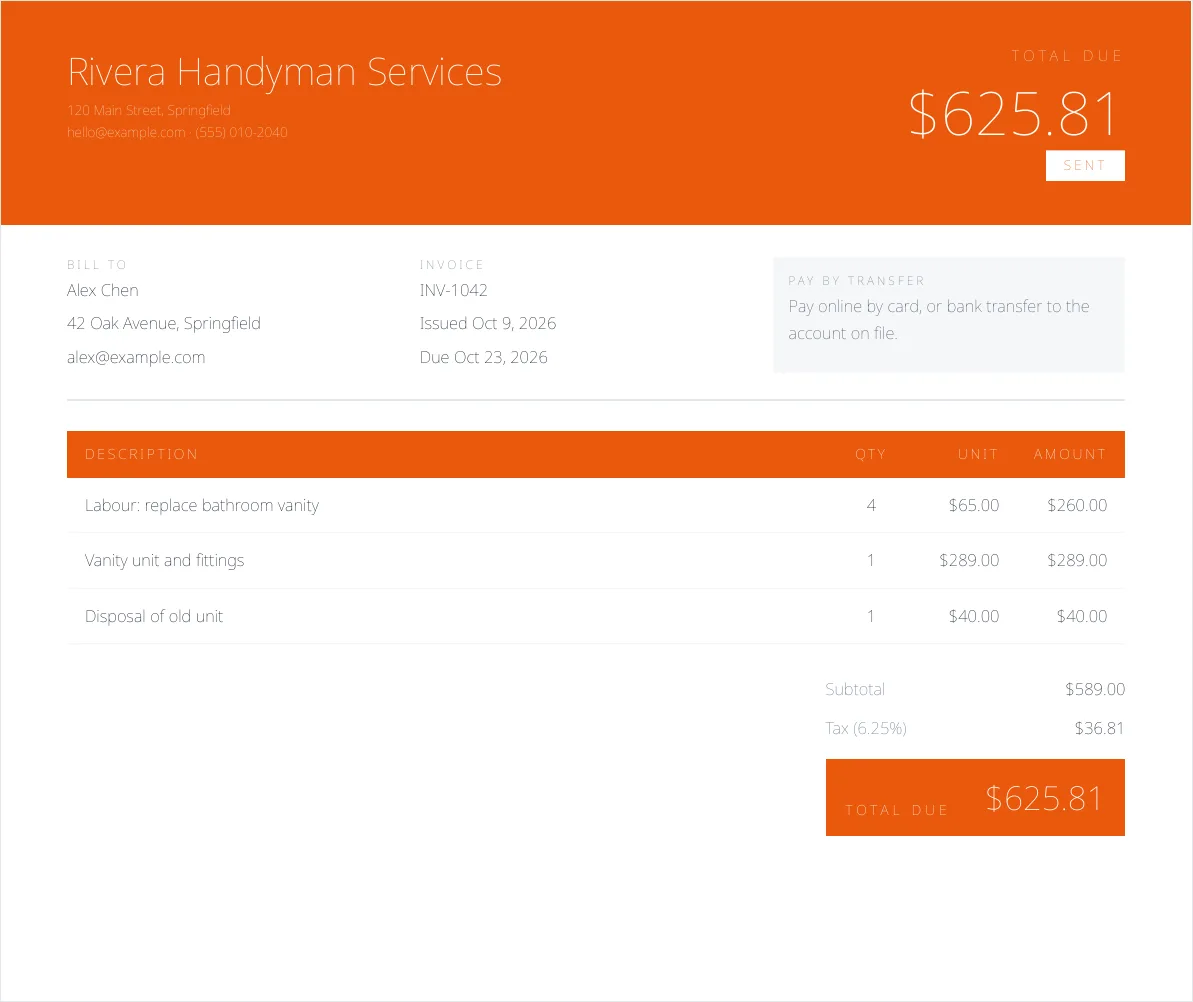
Trade · Rivera Handyman Services 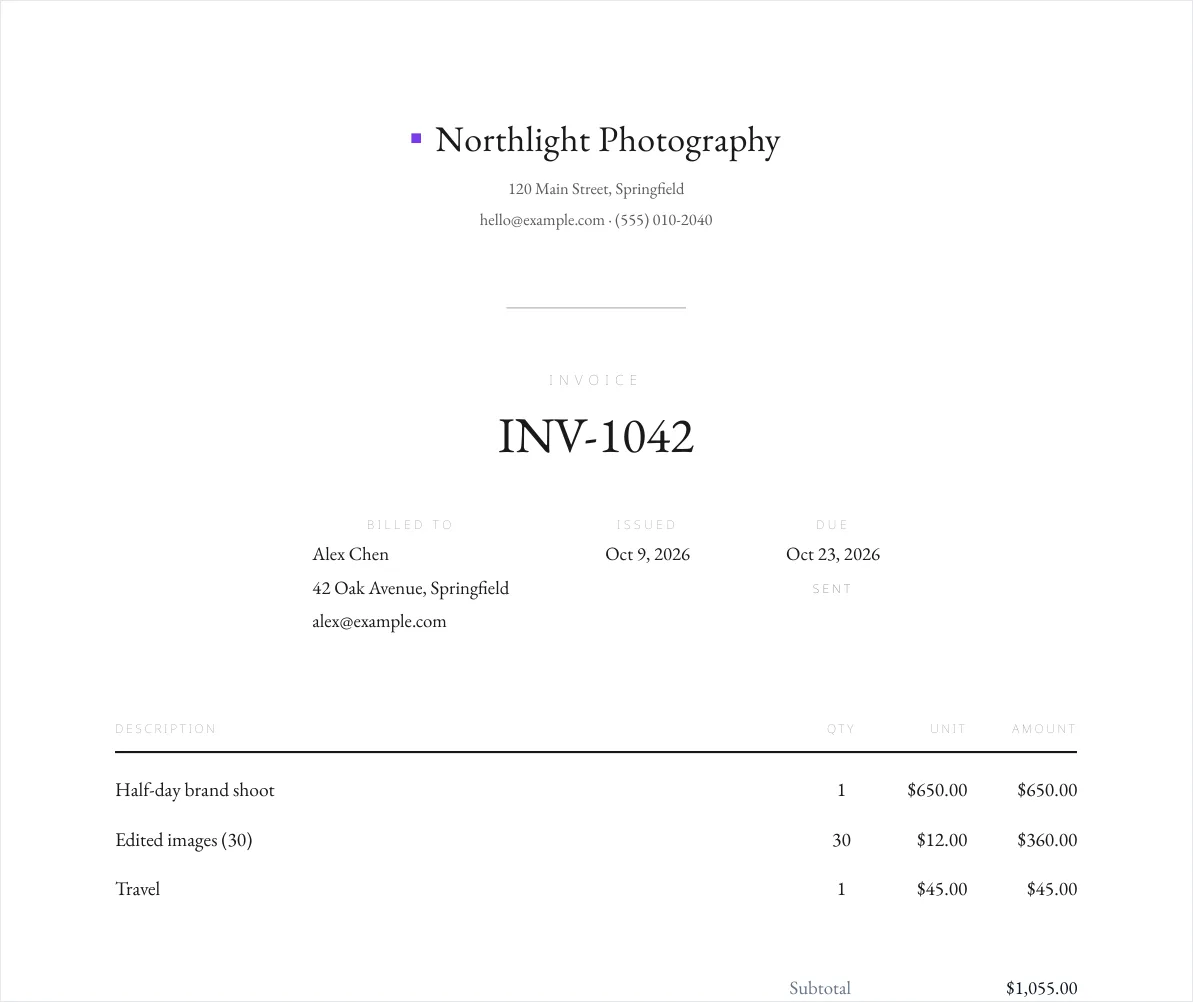
Studio · Northlight Photography 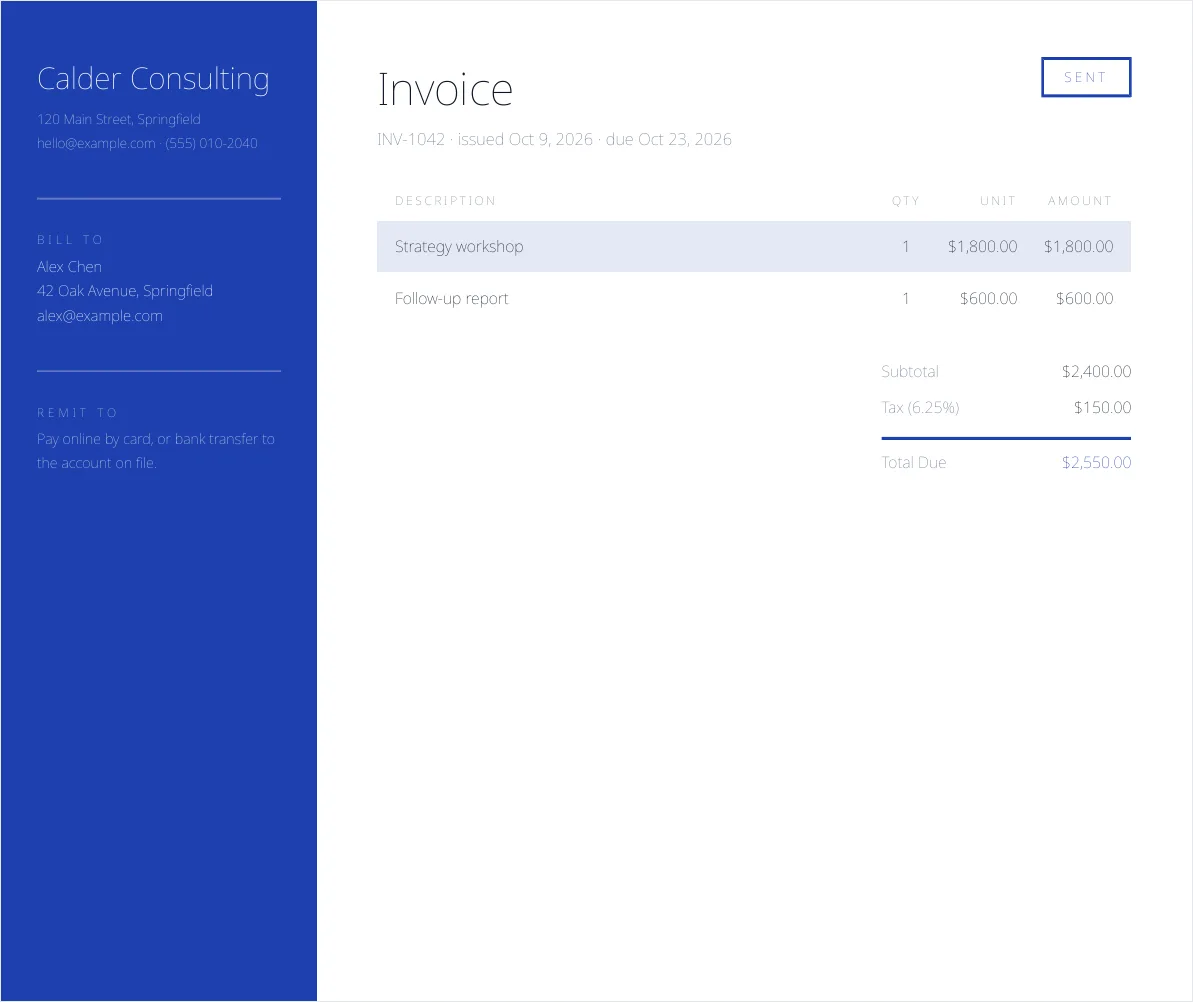
Bureau · Calder Consulting 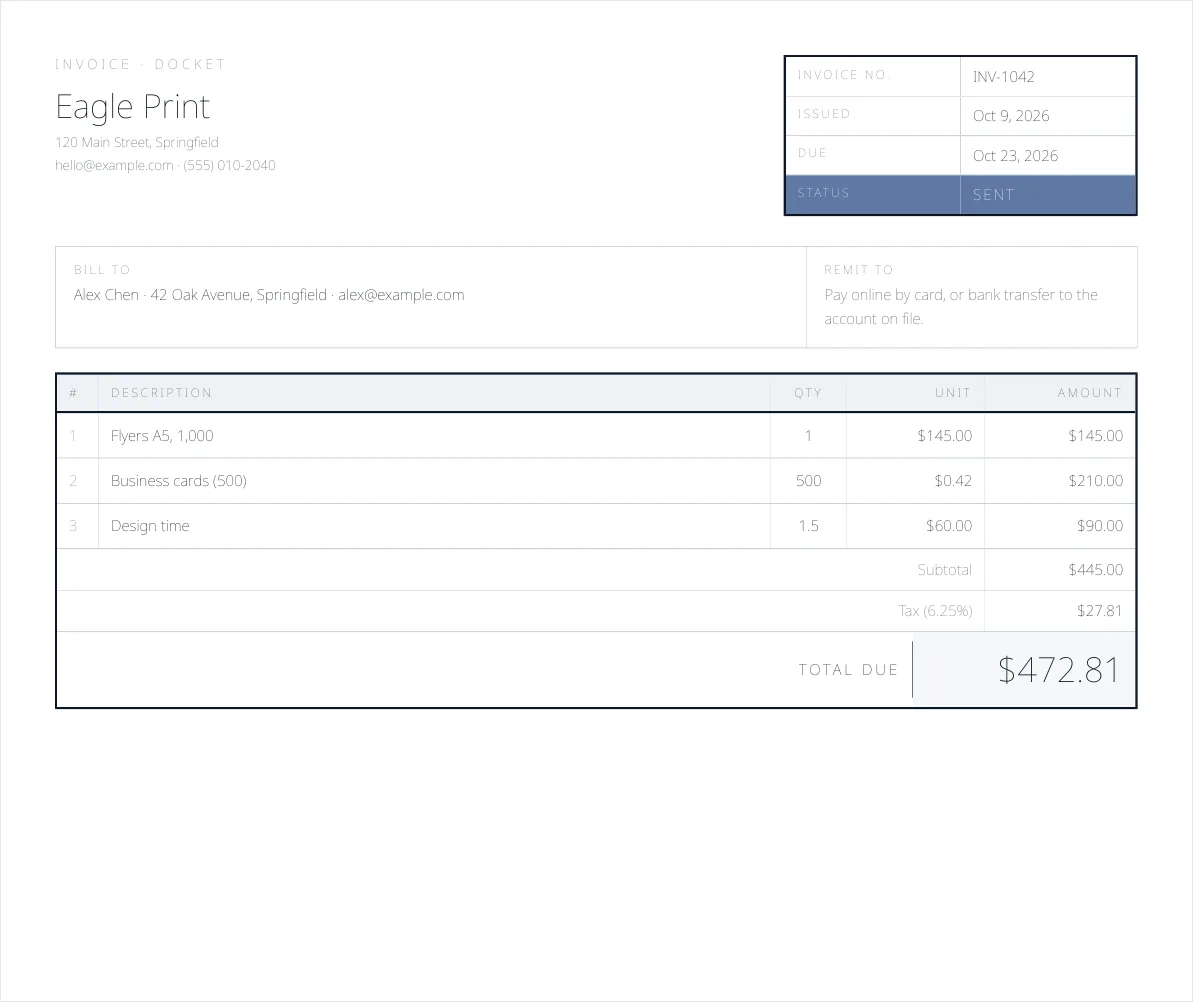
Counter · Eagle Print 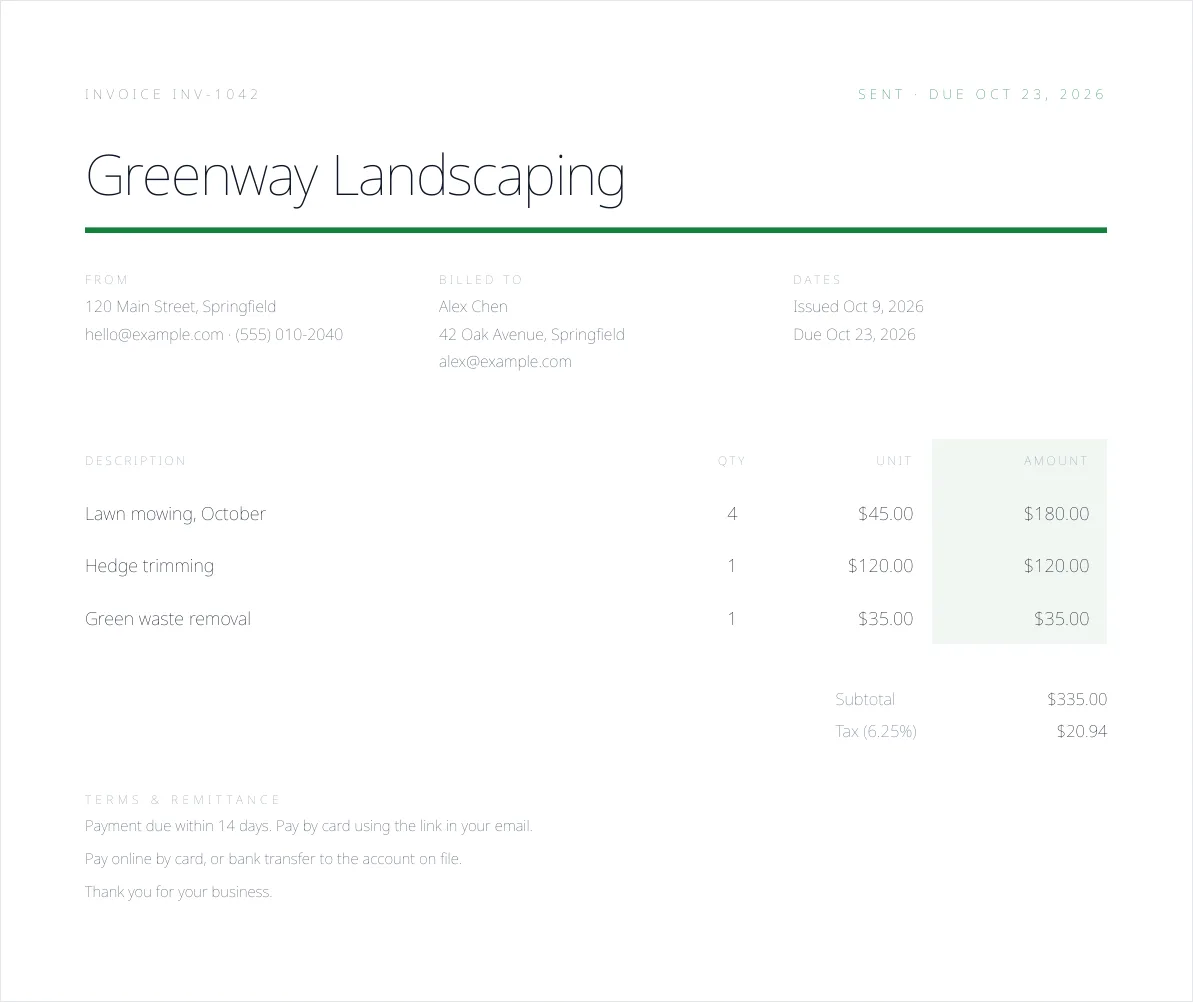
Notice · Greenway Landscaping
Sample data
Quotes
Branded quotes customers accept online
Send a professional quote in a minute. Your customer opens it on their phone, types their name to accept, and you are notified straight away.
- Your logo and colours on every quote
- Typed-name acceptance with a time and IP record
- Expiry date and automatic follow-ups at 3 and 7 days
- Convert an accepted quote to an invoice in one click
Invoices & payments
One click from quote to invoice, then paid by card
Every line, discount and tax carries over, and the due date comes from your payment terms. Customers pay by card through Stripe Connect, straight to your own account.
- Take a deposit, the full amount or the remaining balance
- Partial payments and refunds handled
- Receipts emailed automatically
Reminders
Automatic reminders, so you never have to ask twice
Reminders go out 3 days before the due date, on the due date, then 1, 7 and 14 days after. Invoices turn overdue on their own.
- On by default, at most one a day per invoice
- Optional late fee, applied once
- Pause reminders on any invoice
- Recurring invoices weekly, monthly or yearly, created and emailed for you (paid plans)
- Receipts and quote follow-ups sent in your brand
Customers
Every customer’s history in one place
Each customer’s quotes, invoices, payments and balance on one page. Bring your list in from a spreadsheet and take it with you any time.
- Balance and full history per customer
- CSV import and export
- Invite customers to their own portal
Customer portal
A customer portal under your brand
Customers sign in with a magic link and see every document from your business, then pay or respond. Your brand, not ours.
- Magic-link sign-in, no password to forget
- Pay, accept or decline in one place
- No iQuote badge on paid plans
Reports
Know what is coming in, and what is late
Revenue by month in each currency, unpaid invoices by age and your top customers. Export payments and invoices to CSV for your accountant.
- Revenue per currency, never mixed together
- Unpaid invoices grouped by how late they are
- Payments and invoices CSV
Branding
Your brand, not ours
Your logo, brand colour and business name appear on quotes, invoices, PDFs, the emails your customers receive and the pages where they pay. Paid plans remove the small “Powered by iQuote” badge.
- Logo and colour branding, with readable text worked out for you
- Emails sent in your business name
- No iQuote badge on paid plans
Documents
Six invoice designs, ready to print or share
Pick Ledger, Trade, Studio, Bureau, Counter or Notice, and download any quote or invoice as a branded PDF. Bill each client in USD, EUR, GBP, CAD, ILS, MXN, formatted correctly for each.
- 6 templates in your colours
- One-click PDF download
- Line items, taxes and discounts
Team & businesses
Your team, and more than one business
Invite your team by email and decide what each person can do. On Multi-Business, run several brands from one login, each with its own logo, details and Stripe account.
- Owner, Admin and Viewer roles
- Up to 3 users on Pro
- Activity log of who did what
Anywhere
10 languages, right-to-left, and your phone
Use iQuote in ten languages, with full right-to-left support for Hebrew and Arabic, including PDFs. Install it on your home screen and keep invoicing offline; it syncs when you are back.
- 10 interface languages
- RTL for Hebrew and Arabic
- Offline invoices sync later
Security
How your data and your customers’ payments are protected
Data isolation
Row-level security in the database restricts every query to your own business. No other account can read or change your data.
Stripe payments
Card details are entered on Stripe, which is certified PCI-DSS Level 1. They never touch or are stored on iQuote servers.
Encrypted storage
Your data lives in a managed Postgres database (Supabase), encrypted at rest and served only over TLS.
Product visuals are illustrations with sample data.
See it with your own logo on it.
The Free plan has no time limit and needs no credit card. Upgrade only when the work grows.